
The golf league app. Put the spreadsheet down.

Hold the Green is a golf league app for organizers and the golfers who play for them. Set the format once, and it builds the tee sheets, keeps handicaps, takes scores from the course and updates the season standings.

What does a golf league app actually do?

It does the weekly admin a league secretary does by hand. In Hold the Green you set up the league once: the course and tees, the night you play, how many weeks, 9 or 18 holes, the format and how handicaps work.

From then on the app builds each week’s tee sheet with opponents that rotate, players enter scores hole by hole on their phones, and the standings, handicaps and prize sheets update as soon as a round closes. Nobody re-types a scorecard into a spreadsheet.

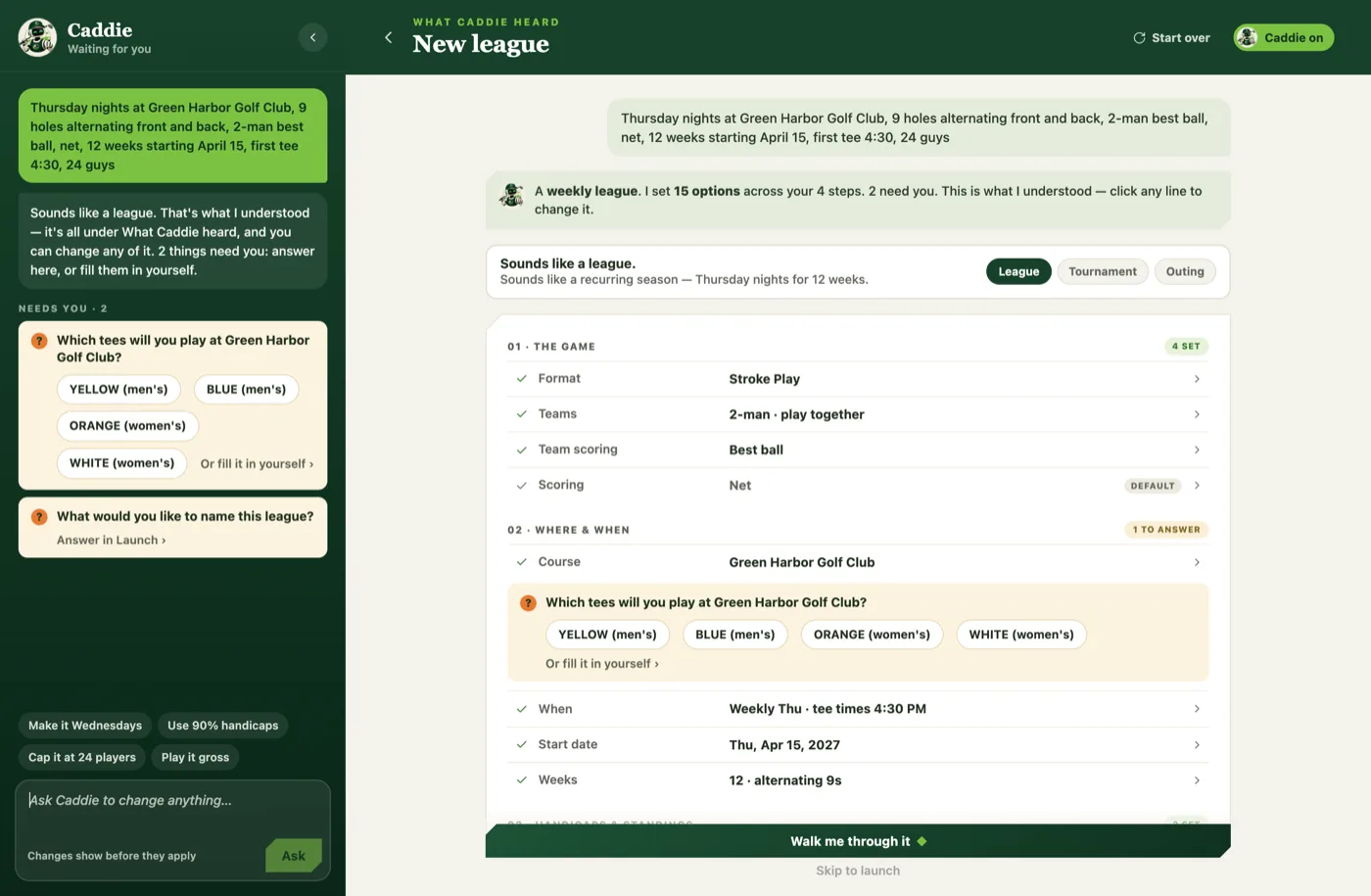
Caddie, the setup assistant, drafting a Thursday night best-ball league from one sentence, beside the four setup steps it filled in
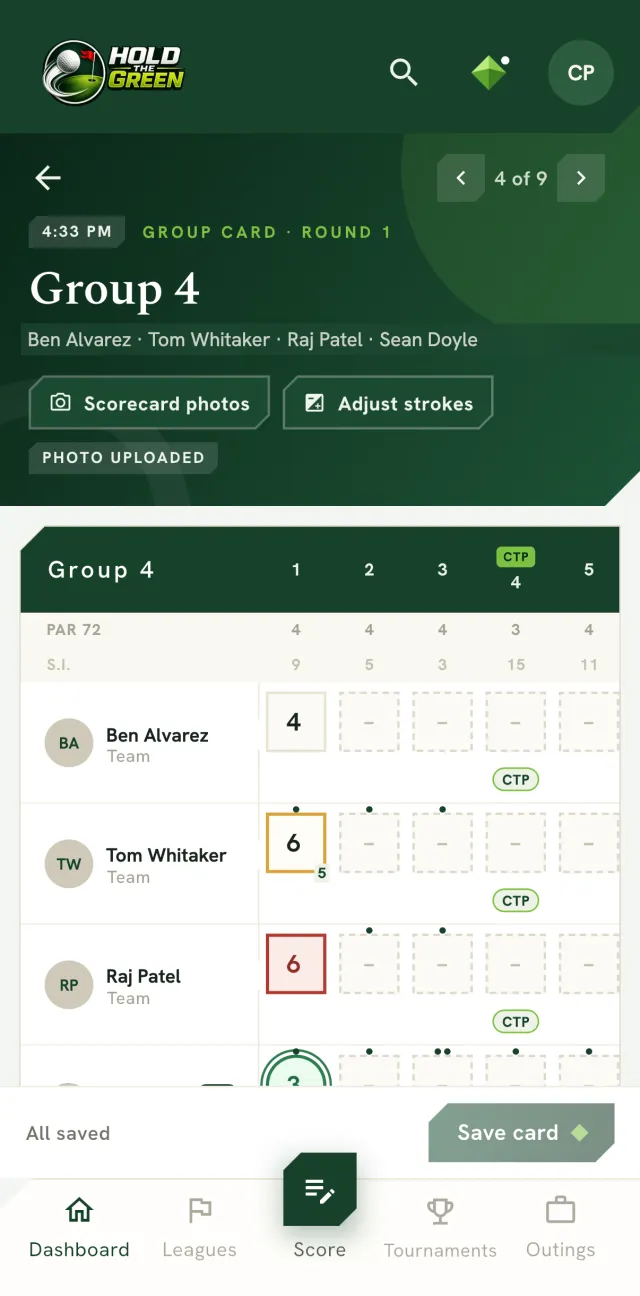
A group's scorecard on a phone, scores entered hole by hole

Built for the weekly league.

The things that eat a league organizer’s week, handled by the app.

  • Tee sheets that build themselves

    The whole season’s schedule, with opponents that rotate week to week. Print one to post at the course.

  • League handicaps

    Enter each player’s index, or keep a league handicap that updates after every round from league play. True course handicaps by tee, slope and rating.

  • Live scoring and standings

    Players score from the cart. The leaderboard updates as scores land, and the season standings update when the round closes.

  • Subs and no-shows

    Find a sub without breaking the schedule, mark a no-show absent so the round still closes, and skip a rained-out week by sliding the schedule.

  • 9‑hole leagues

    Front and back nines rotate week to week, and a skipped week keeps the rotation on track.

  • Season points and dropped rounds

    Cumulative totals or FedEx-style points by finish, with the option to drop each player’s worst rounds.

  • Teams and match points

    Balanced, random or flighted teams, and 2-vs-2 match points for a weekly head-to-head race.

  • League dues

    Players pay you through PayPal, Venmo or Cash App. The money never passes through us, and we take no cut.

Every feature, in detail →

How to set up a golf league in Hold the Green.

Four steps in the league builder, or describe the league to Caddie, the setup assistant, and check its draft.

  1. Name it and pick the course

    Search the worldwide course database and choose the tee set you play. A league can move between courses too.

  2. Set the schedule

    The night you play, the first tee time, how many weeks, and 9 or 18 holes.

  3. Choose the format and handicaps

    Stroke play, best ball, Stableford, match play, skins and more, net or gross, with your handicap allowance.

  4. Add players and launch

    Invite by email or text, share a QR code, or post a join code. The tee sheets build as soon as you launch.

How an event runs, start to finish →

Golf league app questions.

Is there a free golf league app?

Yes. Joining a league in Hold the Green is free for players, forever. Organizers get one trial event free, up to 24 players for one round. Hosting a full season starts on the Blue Tees at $49.99 a year.

Compare the plans

Do my players have to download an app?

No. Hold the Green runs in any phone or computer browser, and players can add it to their home screen like an app. Someone without an account can still keep a group’s score with a guest scorekeeper code.

Read the FAQ

How does the app handle league handicaps?

Two ways. Enter each player’s handicap index, or let the app keep a league handicap that updates after every round from league scores, using a WHS-style best-of calculation. It doesn’t sync with GHIN or post scores to it.

Golf league handicaps explained

Can it run a 9‑hole league?

Yes. Choose 9 holes when you set up the schedule, and pick the front, the back, or a week-to-week rotation. A skipped week keeps the rotation on track.

What happens when a player can’t make it?

The organizer adds a sub for that week without changing the schedule, and players can ask for one themselves. A no-show can be marked absent, so the round still closes and the standings stay right.

Handling no-shows and subs

How do I start a golf league?

Pick a night and a course, decide on a format and how handicaps work, then find enough players to fill the tee times. Our step-by-step guide covers dues, rules and the first night.

How to start a golf league

Start your league tonight.

Your first event is free. No spreadsheet required.

Get started free