

You can permanently delete your account and personal data at any time. Because it can't be undone, you're asked to confirm it twice.
Step by step
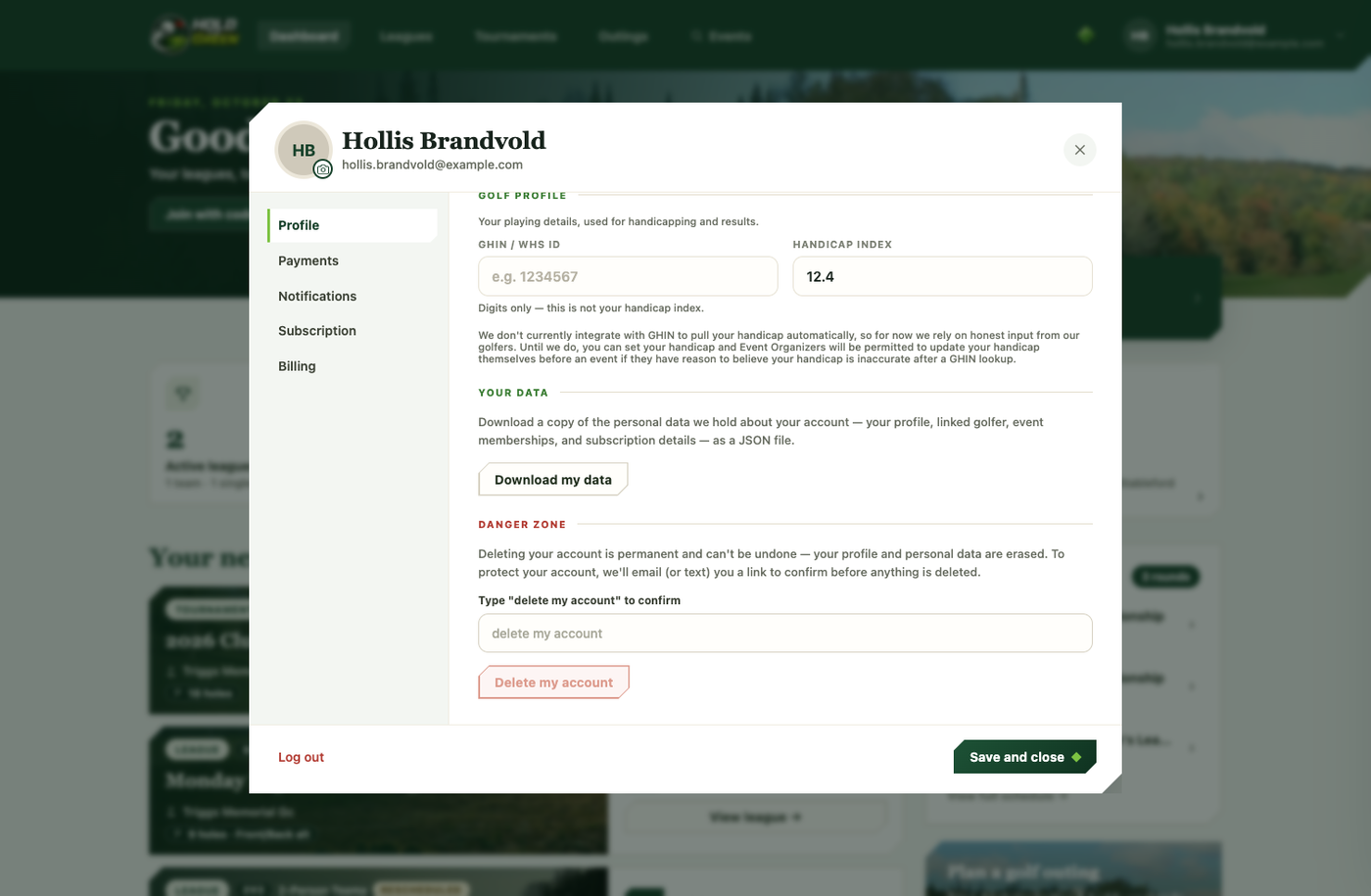
Open the account dialog, go to the Profile tab, and scroll to the Danger zone at the bottom.
Type "delete my account" into the confirmation field to unlock the Delete my account button, then tap it. Nothing is deleted yet at this point.
A confirmation link is sent to your email (or by text if there's no email on your account). Open it. It lands on a page with a final Permanently delete my account button.
Tap it to confirm. Your account is erased and you're signed out, with a confirmation email once it's done.
Changed your mind?
Just don't open the confirmation link. It expires on its own and nothing is touched. Any leagues or tournaments you run keep going for their members, handed off to a co-manager or a caretaker account, and your past scores are anonymized rather than deleted so other players' standings stay accurate.
Did this answer it?
Updated