
Deleting Your Account
You can permanently delete your account and personal data at any time — that's your right to be forgotten. Because it can't be undone, you're asked to confirm it twice.
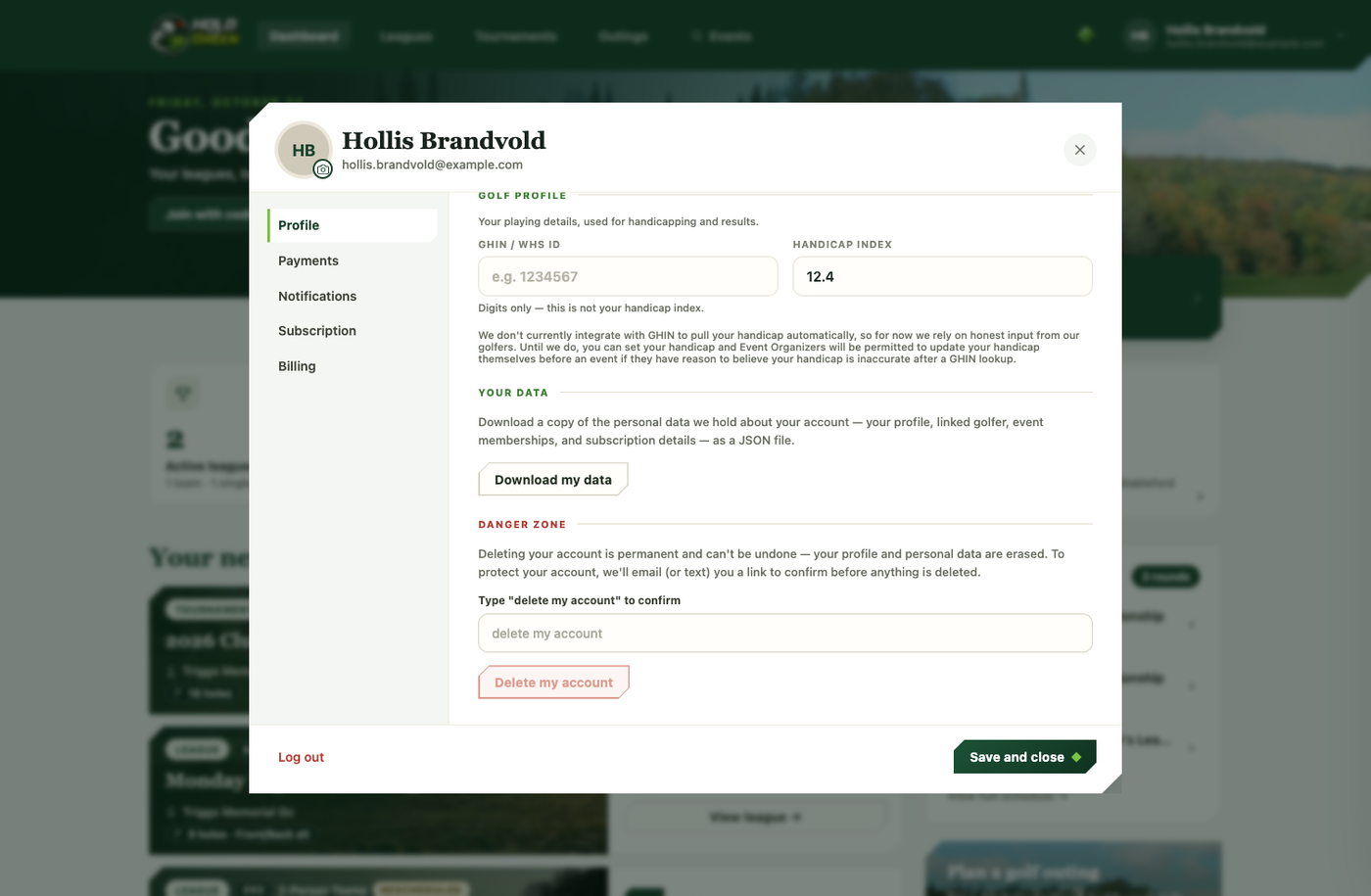
How to delete your account
- Open the account dialog, go to the Profile tab, and scroll to the Danger zone at the bottom.
- Type "delete my account" into the confirmation field to unlock the Delete my account button, then tap it. Nothing is deleted yet at this point.
- A confirmation link is sent to your email (or by text if there's no email on your account). Open that link — it lands on a page with a final Permanently delete my account button.
- Tap it to confirm. Your account is erased and you're signed out, and you'll get a confirmation email once the deletion is done.
Changed your mind? Just don't open the confirmation link. It expires on its own and nothing is touched — you're only deleted once you tap that final confirm button.
What actually happens to your data
- Your personal details and login are deleted for good.
- Any leagues or tournaments you run keep going for their members — ownership hands off to one of your co-managers (who's told they're now the owner), or to a caretaker account, so nobody's season gets interrupted by your account going away.
- Your past scores are anonymized rather than deleted, so other players' standings and leaderboards stay accurate — your name is simply removed from them.
- Any active subscription is cancelled immediately as part of the deletion.
If you just want a copy of your data without deleting anything, the Download my data button sits right above the Danger zone on the same tab — see Your Account.