
Claiming Your Golfer Profile
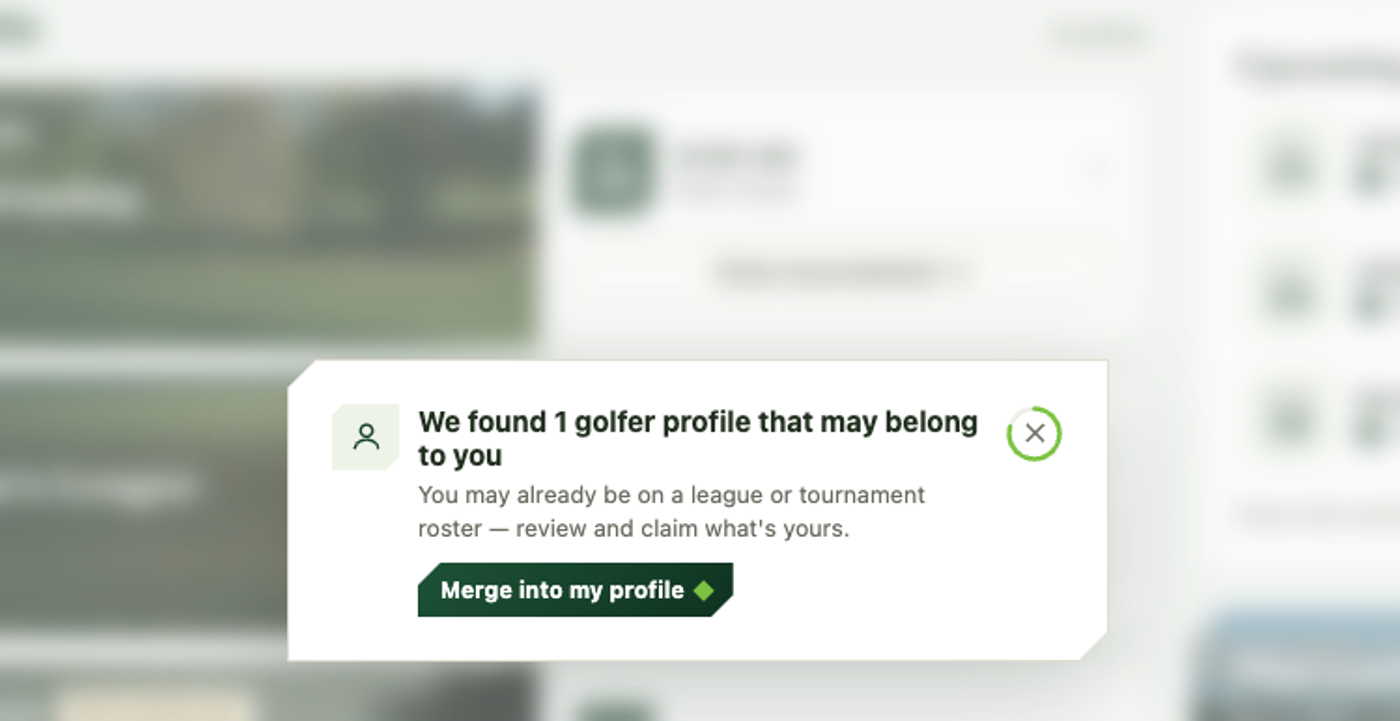
If an organizer added you to a league or tournament before you ever signed up, a golfer profile may already exist for you. When one matches your email or phone, your dashboard shows a prompt: We found a golfer profile that may belong to you.
Claiming it
- Click Merge into my profile on that prompt. The Is this the same golfer? dialog lists each matching profile, with the league or tournament it’s on, when that event plays, and whether it matched your email or your phone.
- On each profile that’s really you, click Merge — this is me. On any that isn’t, click Not me.
- Not ready to decide? Not now closes the dialog and the prompt comes back later.
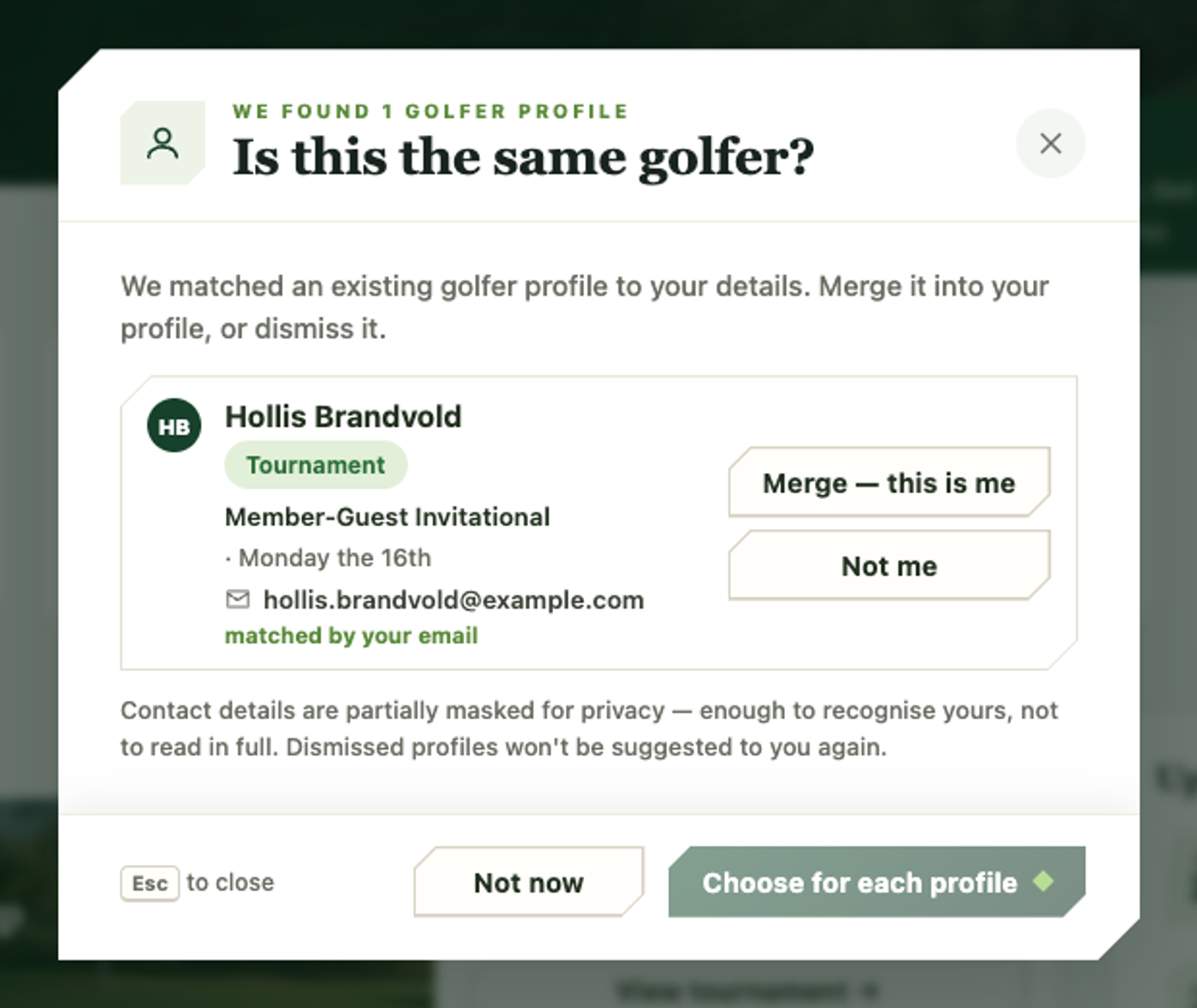
Contact details on profiles that aren’t yours are partly masked for privacy: enough to recognise your own, not enough to read someone else’s in full.
One matching profile links straight to your account. If there are several (an organizer added you twice, say), merging folds them into one, moving every roster spot and score onto it.
Profiles you mark Not me won’t be suggested to you again.
After claiming
Once claimed, your golfer profile is linked to your account, so your GHIN and handicap become editable from the account dialog, and your standings and scores everywhere follow you from that point on — you're not stuck with a disconnected ghost record sitting in someone else's league.