Scores, Live Scoring & Standings
This is where accuracy actually gets decided — hole by hole, while groups are still on the course, not in a spreadsheet afterward.
Tee sheets
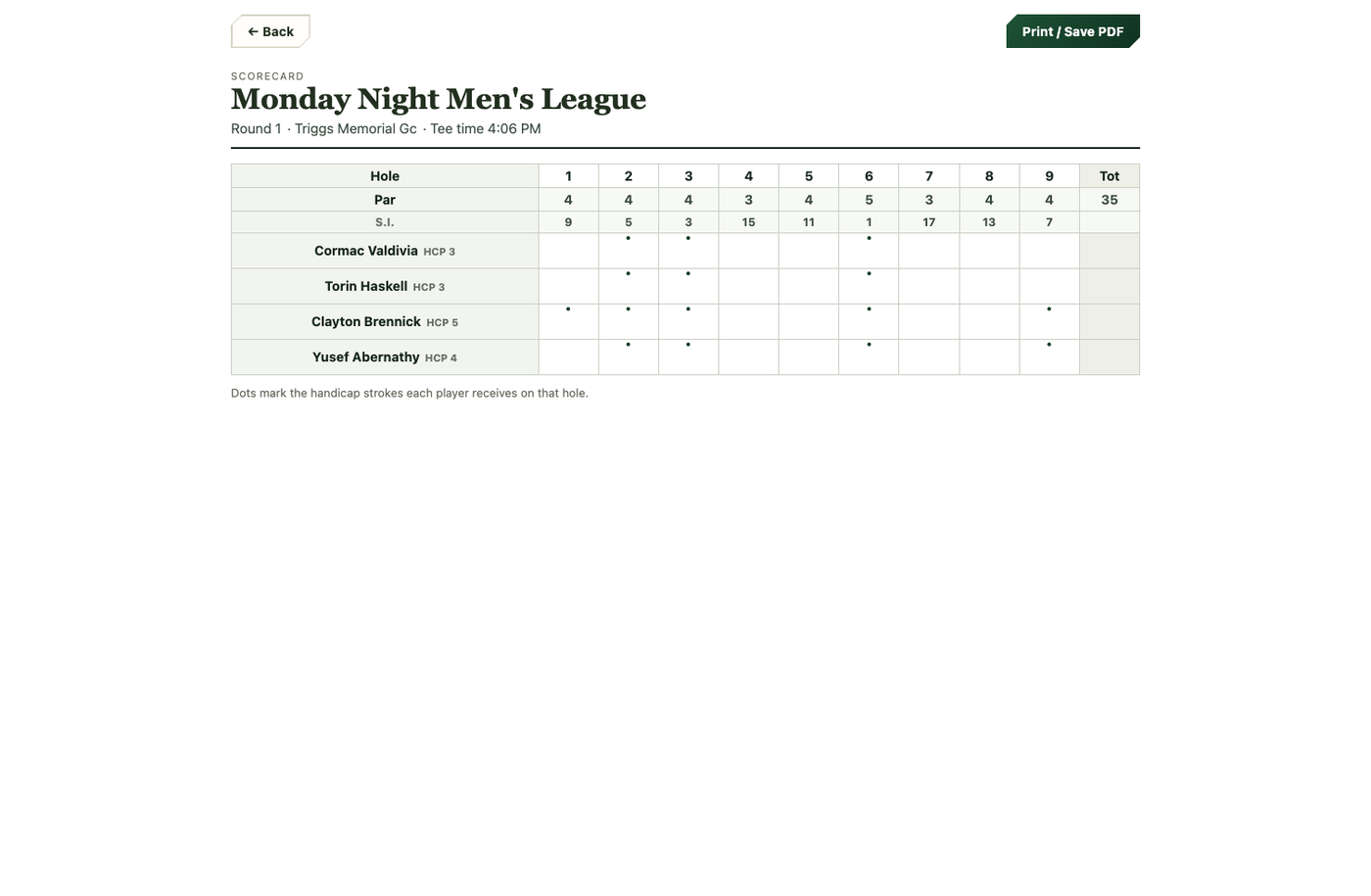
Each round shows who's playing in which group, at what time, off which tee. You can print a tee sheet to post at the course, or a blank scorecard with the handicap-stroke dots already marked for each player on every hole.
Entering scores
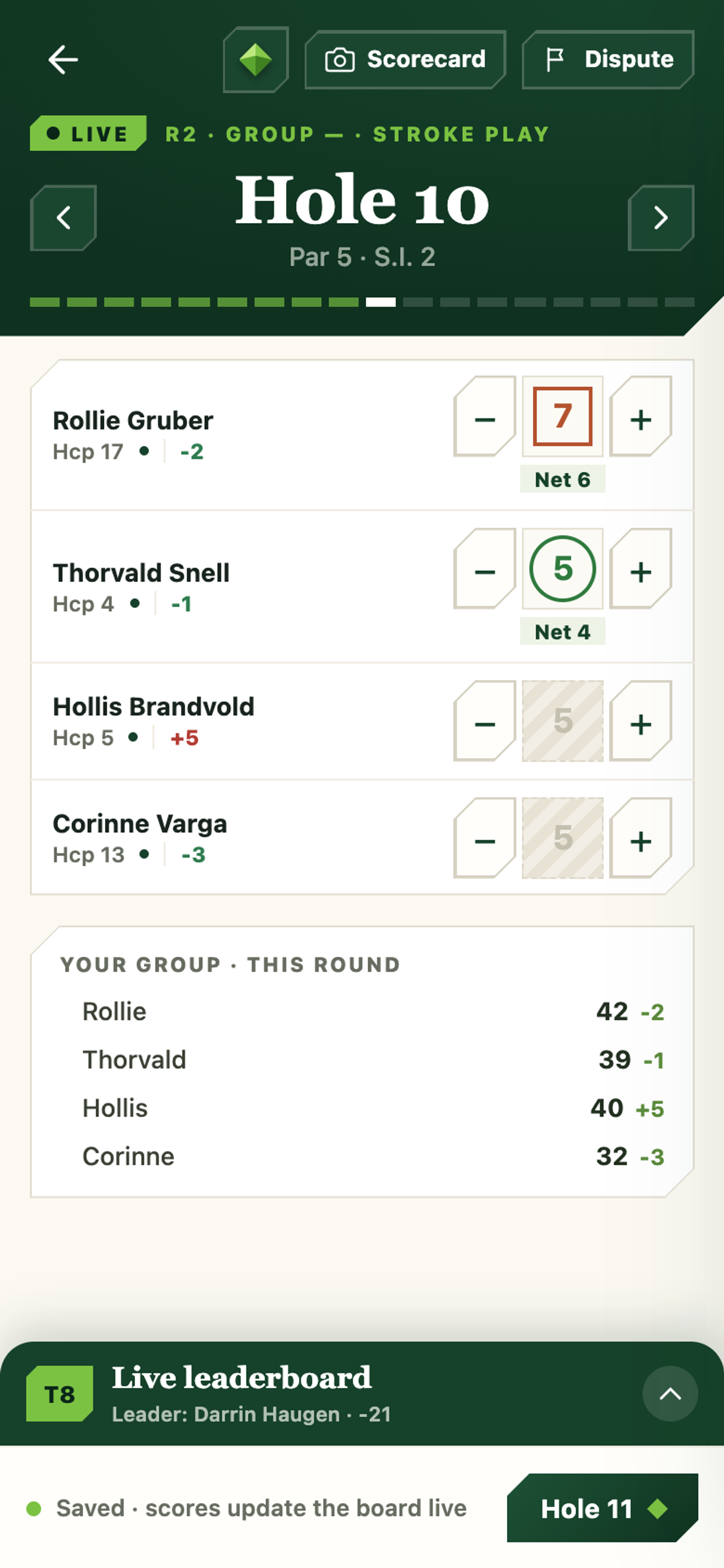
Managers open Enter Scores from the tee sheet. Players can keep their own score too — your "Your next round" card on the dashboard shows a Keep my Score button starting one hour before tee-off, which opens Live Scoring.
Scan the paper scorecard
Most groups still play with a paper card in a back pocket. When the round is done you can photograph it instead of typing it all in. Open Enter Scores, switch to By group, and tap Scan scorecard — scanning is a whole-group job, so the button only appears in that view.
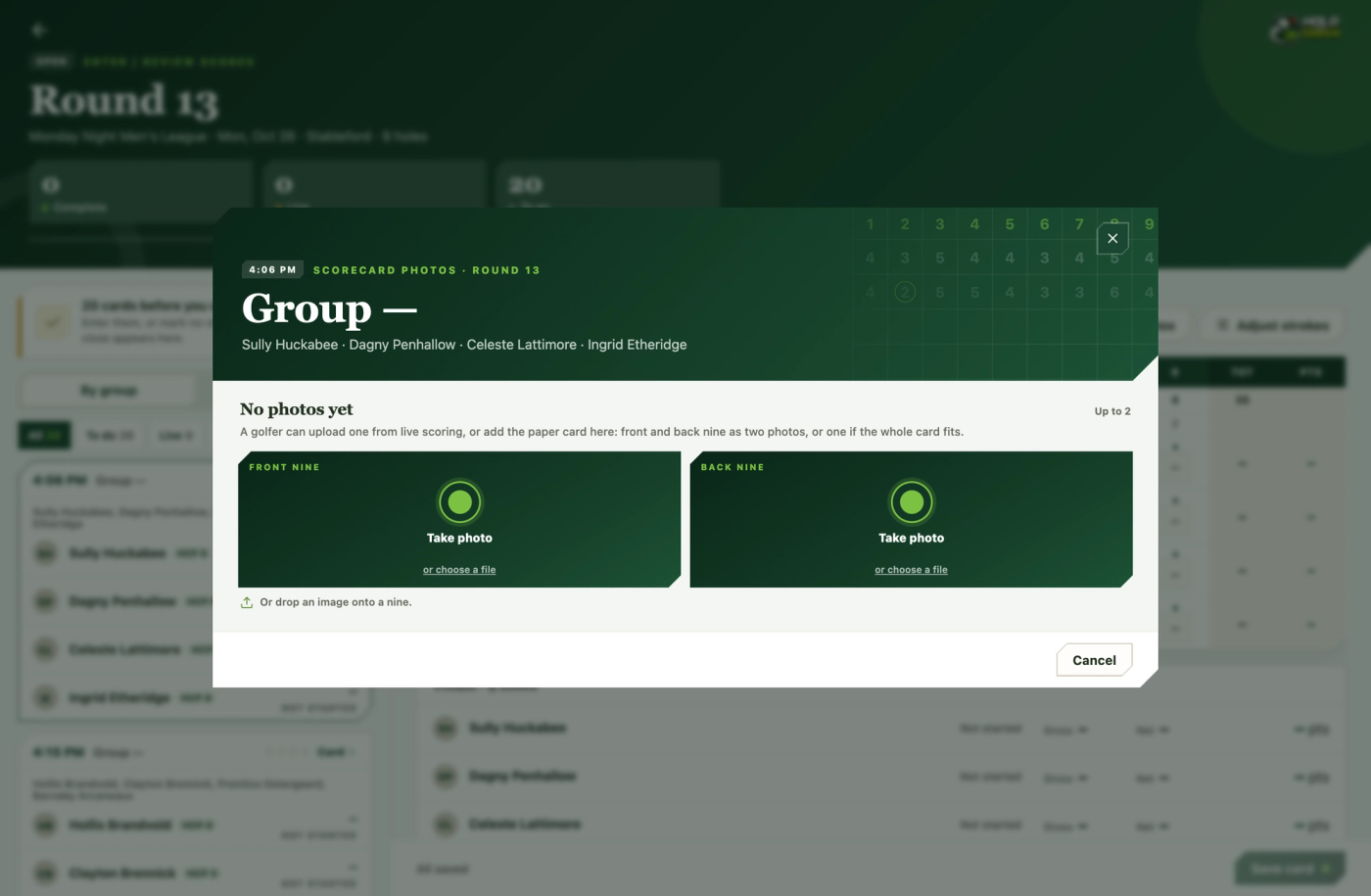
Take the photo there and then, or upload one you already have. One photo is enough if the whole card fits in frame; add a second — usually the back nine — if it doesn’t, and both are read together as one card.
Every player’s hole-by-hole scores are then drafted onto the group’s card for you to check. Nothing is saved until you save it. Anything the AI wasn’t confident about is flagged, so start with those cells — a hurriedly written 7 can look a lot like a 3 to a computer, and to a person.
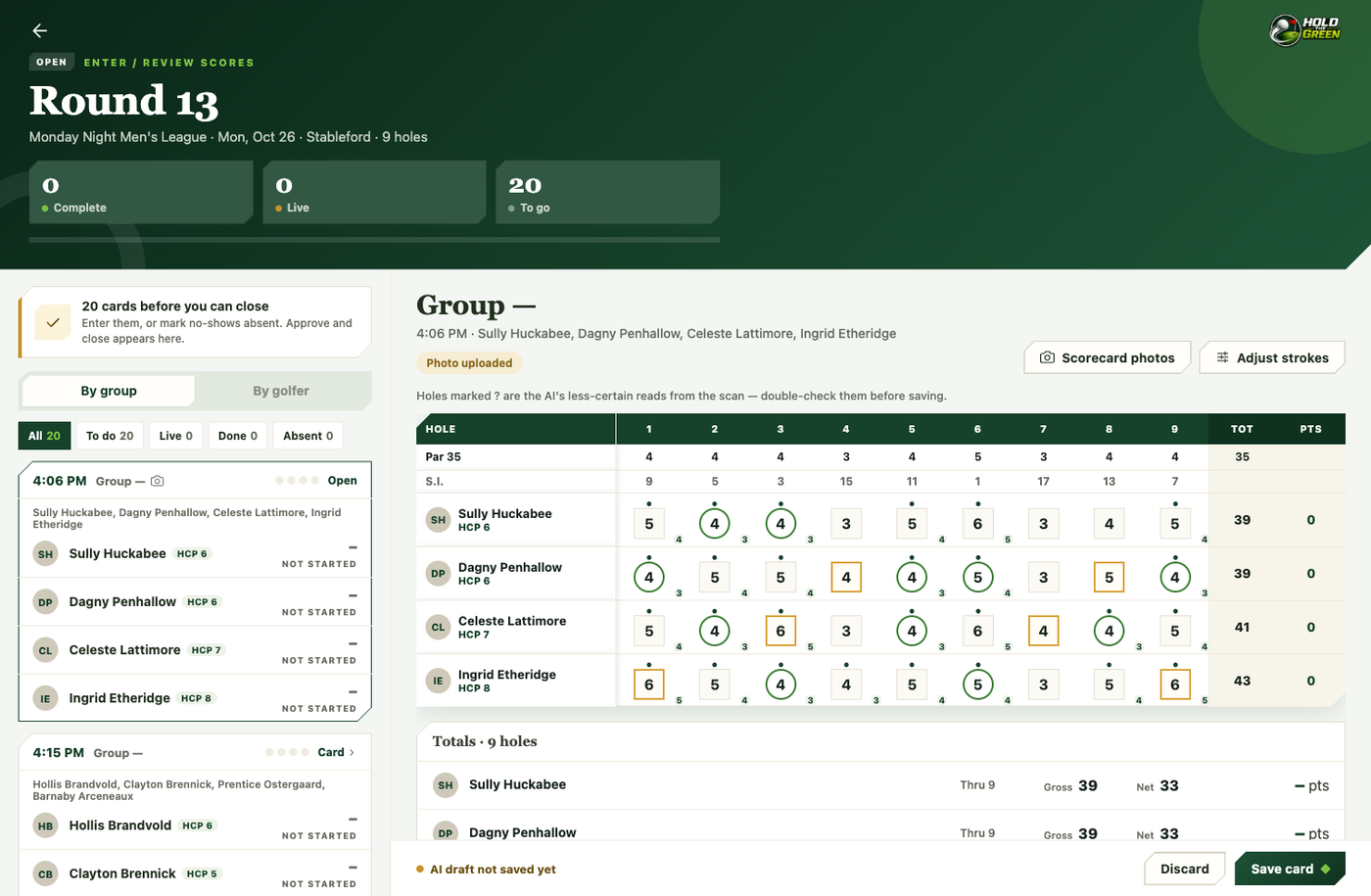
A few things worth knowing:
- The names on the card are matched against your group’s roster, so where you can, write them the way they appear on the tee sheet. Anything it can’t match is reported back rather than guessed at.
- Every scan is kept. Open the dialog again and you can see the previous ones and pull up the original photo — useful weeks later when somebody questions a score.
- A card that has already been scanned can be read again without taking a new photo.
- If the AI is ever unavailable you’ll be told up front, and you can still enter the group’s scores by hand in the By group or By golfer view.
Live Scoring
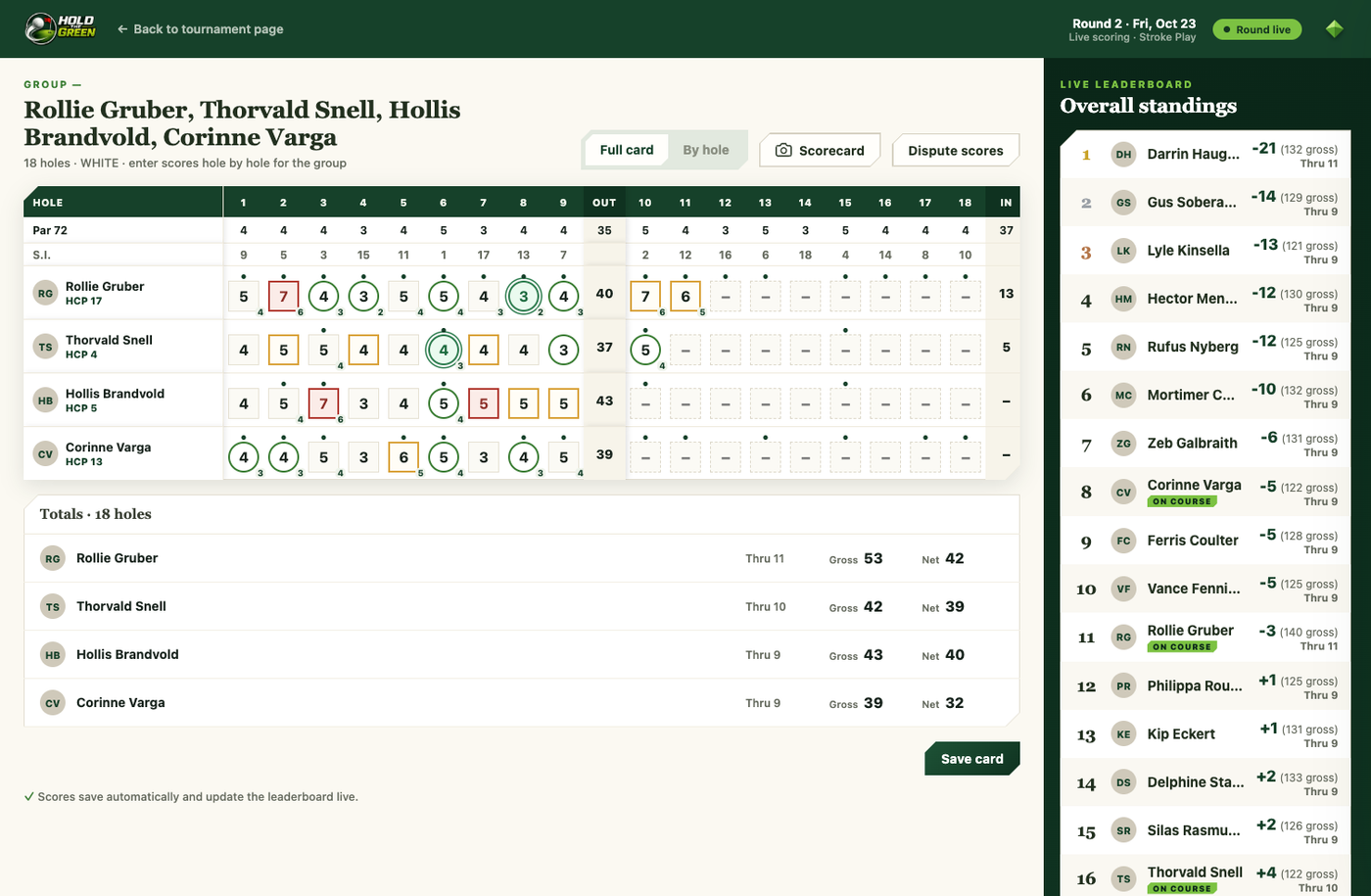
Enter scores hole by hole, or fill in a full scorecard at once — the live leaderboard updates in real time as scores come in, for everyone watching that round, with the right columns for your format automatically (gross/net for stroke play, points for Stableford, match status for match play, skins won for skins).
Guest scoring (no account needed)
A manager can hand out a live scoring code for a group from the tee-sheet's ⋯ menu. Anyone with the code enters it at /live-scorer to keep that one group's score — the same full experience as signed-in Live Scoring, including the live leaderboard. Their scores post to everyone's leaderboard instantly, and the board refreshes to show other groups as they play too.
Disputed scores
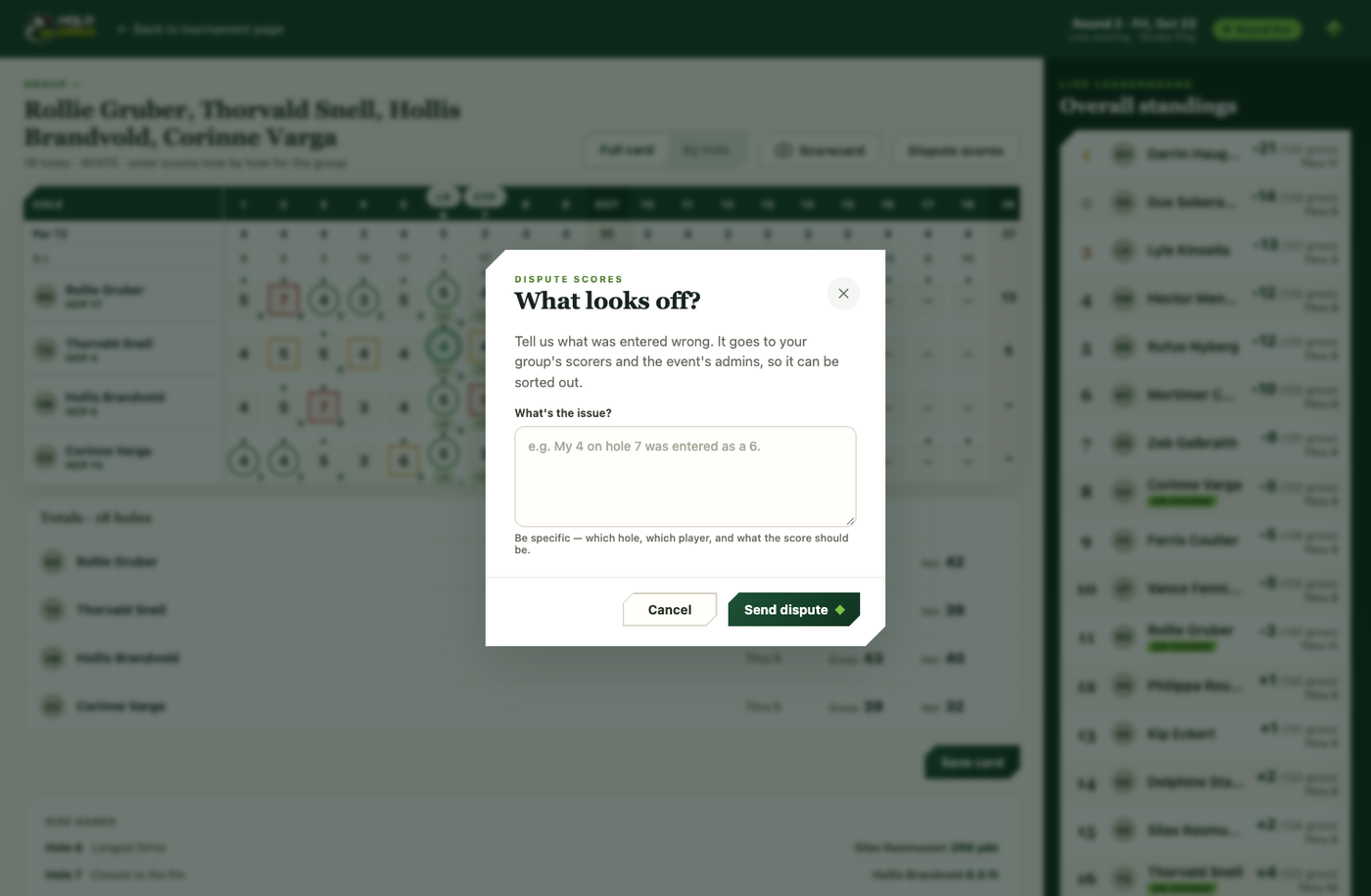
When a score is genuinely wrong, a round can be reopened to fix it. Players can also flag a score they think is disputed, right from their scorecard, so it lands on the organizer's desk instead of festering for three weeks.
Standings
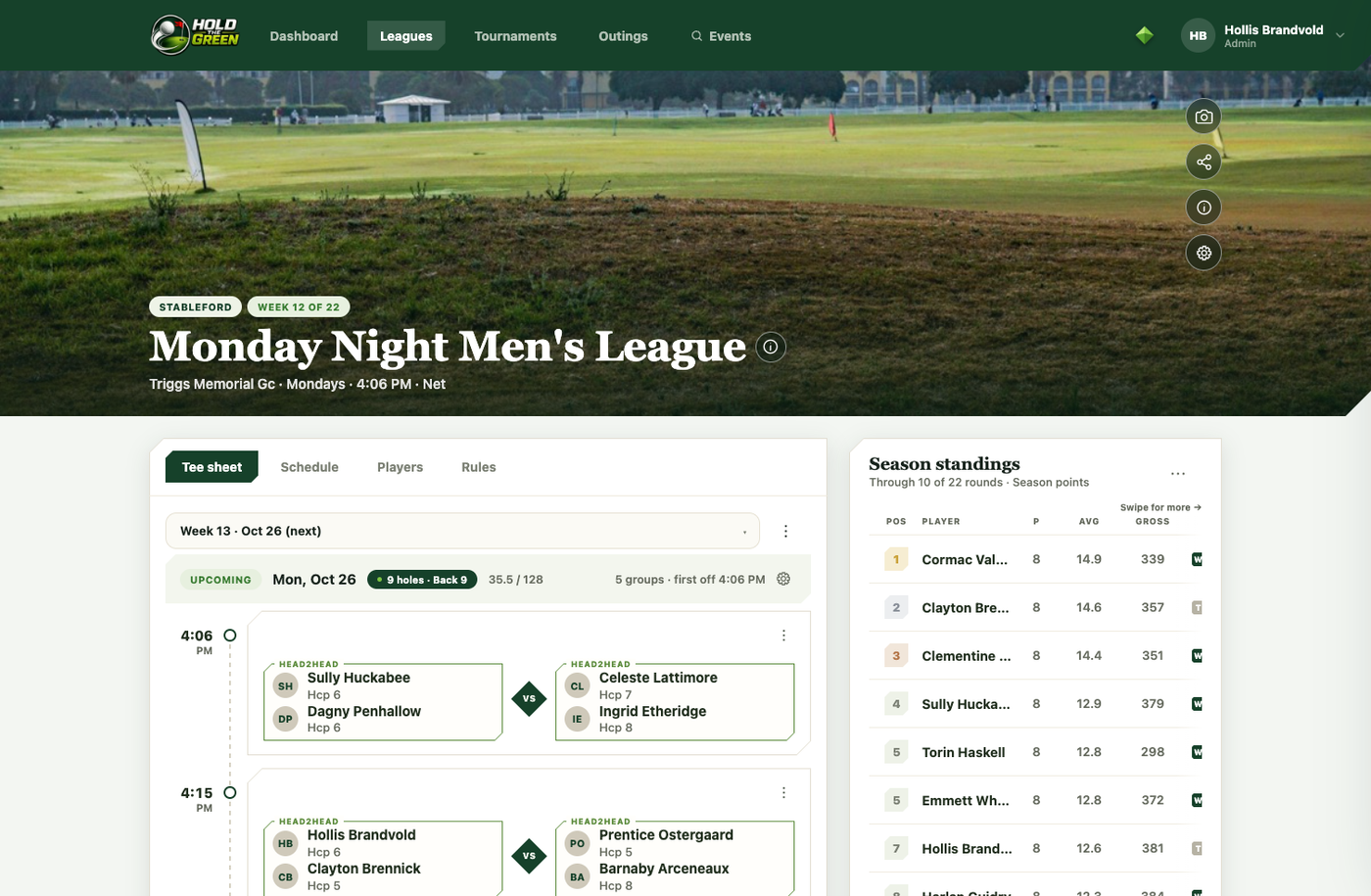
The Standings tab aggregates every closed round using your format's metric — strokes or points — with net and gross boards, and team boards where the format calls for them.