
Your Account
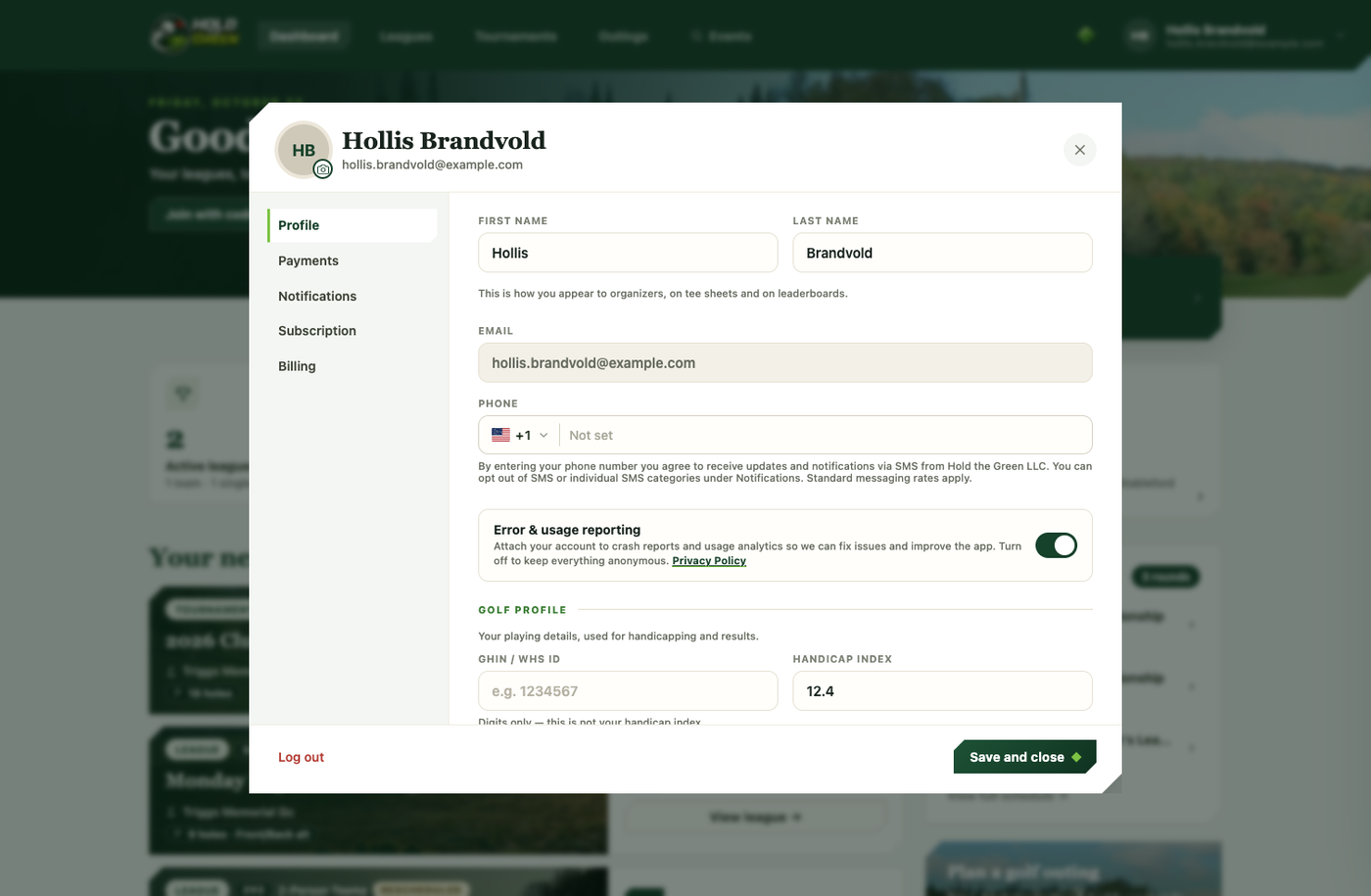
Open the account dialog from your avatar or name in the top bar. It has a few tabs — this guide covers the Profile tab, where your identity and golf profile live.
Profile photo
Tap the camera badge on your avatar, in the top-left of the dialog, to take a photo or upload an image. Your custom photo then replaces the sign-in picture everywhere your avatar shows up — the top bar, and once you've joined an event, the league roster and team lists too. Skip it and it falls back to your social sign-in picture, or your initials.
Your account identity
First name, last name, and email come from how you signed in and are shown read-only here — they're not something you edit directly in this dialog.
Golf profile
A dedicated section where you set your golfer name (first and last), GHIN/WHS ID, and handicap index. Your golfer name is how you appear to organizers and on leaderboards, and it can be different from your account name — it's pre-filled from your account name, but change it to whatever you actually go by.
You don't need to have joined an event first. Saving here creates your golfer profile if you don't already have one. There's no GHIN integration to pull your handicap automatically yet, so for now it relies on honest input — an organizer can correct a handicap before an event if they have reason to believe it's off.
Phone and notifications
Add a phone number for account contact, and opt in to SMS notifications for tee times, pairings, and score reminders right from this tab.
Saving
The toggles (SMS, error & usage reporting) save the moment you flip them. The text fields — phone, golfer name, GHIN, handicap — save when you press Save and close, the dialog's one action that writes your changes and closes it. The ✕ in the header closes without saving.
Your data
A Your data section lets you download a copy of the personal data held about you — your profile, subscription, golfer record, and event memberships — as a JSON file, so you always have your own copy. See Deleting Your Account for what happens if you want to erase it instead.