
Notifications
The notification gem in the top bar is your inbox for everything happening in your leagues and tournaments. When you have unread notifications it lights up with a dot, and the count clears as you read them.
The notification drawer
Click the gem to open the notifications drawer — a panel that slides in showing your most recent notifications, newest first. Each one has an icon, a short title and message, and how long ago it arrived.
Unread notifications have a green dot. Click one to mark it read (and, where it links somewhere, to jump straight to it). Use Mark all as read at the top of the drawer to clear everything at once.
Choosing what you're notified about
Open your account menu and go to the Notifications tab for a grid where you pick, per category, whether you get notified in-app, by email, and/or by text.
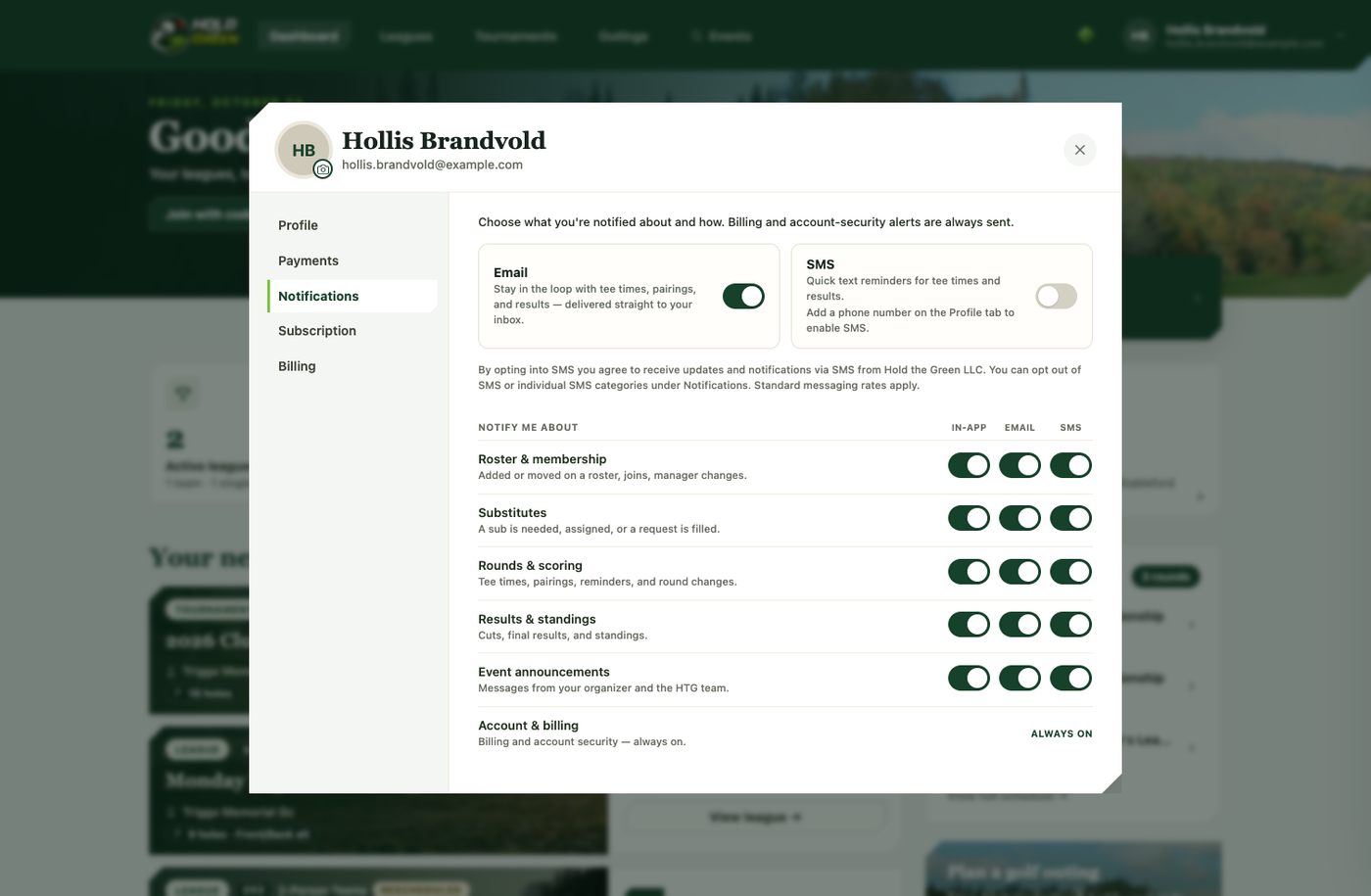
The categories are: roster & membership, substitutes, rounds & scoring, results & standings, and event announcements. Turning a box off genuinely stops that notification on that channel — nothing sneaks through. Billing and account-security alerts are always sent, on every channel, since those matter too much to miss.
The SMS column only works once you've added and enabled a phone number on your account's Profile tab. The Mute notifications toggle in the drawer itself is the quick "silence everything live" switch for when you just want quiet; the Notifications tab is where the real fine-grained control lives.
Push notifications
You can also have these same notifications pop up on your device — on the lock screen and in the notification tray — even when the app isn't open. When you're set up, you'll see a gentle "Never miss a tee time" prompt; tap Enable and allow notifications. You can turn push on or off anytime from the same Notifications tab.
On iPhone and iPad this requires installing the app to your home screen first (an Apple requirement); on Android and desktop Chrome or Edge it works straight in the browser.
Email & text
In-app notifications are separate from email and text. Toggling email or SMS on for a category (from the same Notifications grid) sends you that alert on that channel too — tee times, pairings, and score reminders are the most common ones people turn text on for. Every notification email includes a one-click unsubscribe if you ever want out of a specific channel without digging through settings.