
Finding an Event Near You
Looking for a league or tournament to join? Open Find an event from your account menu — the avatar in the top-right, or More on mobile.
Searching
- Enter a US ZIP code and a radius in miles, then tap Search — or tap Use my location to search around wherever you actually are.
- Public events within that distance show up on a live map and in a list beside it. Tap a result to highlight it on the map, or tap a map pin to jump straight to its card.
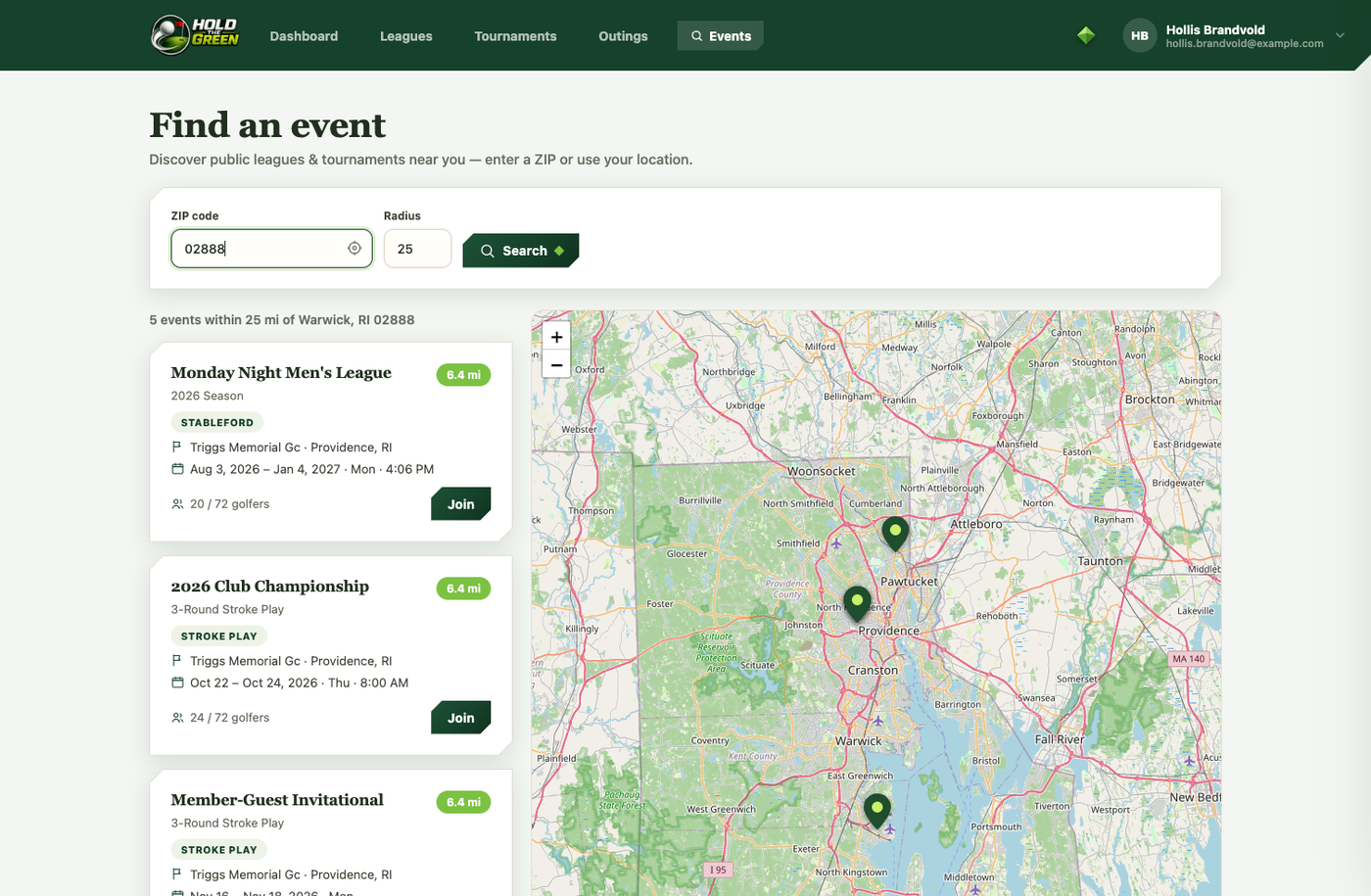
- Each result shows the format, the course (or indoor venue), the dates, how far away it is, and how many spots are already filled. Tap Join to request to join.
- Choose Join as a golfer or Join as a sub (for a tournament, the sub option is the waitlist). The organizer receives your name, handicap, and email or phone — whichever you've added — along with your request, and decides whether to add you. You get a notification either way.
Only events whose organizer has made them public show up here. Private, invite-only events are found with their join code instead. ZIP search is US-only for now; Use my location works anywhere.
Approving requests (organizers)
When someone requests to join an event you run, you get a notification and an email. Open the event and look in the roster column for a Pending requests card — it only appears when there are requests waiting. Tap the checkmark to accept (they're added to your roster), the X to decline, or a name to see their details first. Accepting a "golfer" request adds them to the field; accepting a "sub" request adds them to your substitutes, or the waitlist for a tournament.